

Overview
Paladin's Penitence is a prototype UE5 project made during my second year of university, studying further games production (including independent production of all models/textures/animations) as well as narrative design. The player must delve deep into a crypt to recover a powerful elixir. The game itself is entirely scripted via Blueprint - a major focus was on designing and producing engaging combat and game mechanics through Blueprints.
The project itself is a continuation of another project from the semester before, where we had to design a much less in-detail version using pre-existing assets provided to us. A large part of this module was developing the project and improving it based on feedback from the last version, including revamping the level design - another strong focus of this project - and iteratively getting feedback every few weeks from peers and lecturers.
Skills I developed during the project
Mechanic Design // Level Design // Blueprint Scripting // Narrative // Iterative Testing and Improvements
This was my largest project yet by the time it was complete as not only was the scope of the project very large, but I had to develop all of the assets, not just the Blueprint scripts, by myself.
In terms of mechanic design, I had to refine the combat mechanics from the previous semester, which were very barebones. To do this, I added patrolling AI, unique weapons (with combos!), a crossbow secondary weapon, stealth killing with said crossbow, as well as ragdoll physics for the enemy models upon death. I strengthened my Blueprint scripting skills significantly through all of these improvements, including the production of a seamless checkpoint and save file system stored in the GameInstance.
Another strong focus was on level design and improving the previous level that I had designed last semester over several rounds of testing and discussion with peers. I also had to develop a narrative element to the game to complete a second module, which I prototyped first using Twine and then implemented in-game through a dialogue system I made in Blueprint.
Target Audience
The target audience for this game is predominantly males aged 16-35. The age rating is at least 16 due to the gory nature of some aspects, and dark themes prevalent throughout the game and its narrative. The audience is predominantly males as they are more likely to play a game of this nature.
This overlaps with players of games in a similar genre such as Dark Souls, Elden Ring, etc. who are also members of the target audience. As said target audience would generally prefer more challenging gameplay, it was important to work the levels and mechanics around that.
I also provided many power trips and power spikes throughout the game as rewards, while trying to balance that with challenging content afterwards, as some members of my audience would prefer either large power spikes or consistently challenging content. I also encouraged player choice throughout the game, which is the reason why I gave the player the choice between a challenge and a power trip at the end of the game.
Mechanic Design & Scripting
Enemies
To make the dungeon feel more polished and natural I had to make the enemy AI significantly more detailed. On top of adding animated skeletal meshes to the enemies, I wanted to make a patrolling system so that enemies could naturally move around the dungeon between set points on their own, then navigating back to the first.
I did this by having an empty array of PatrolPoint actors on the enemy BP - as many patrol points as needed can be added. Once it reaches each of them in succession and gets to the last one, it resets the current point to 0, making it navigate back towards the first point.

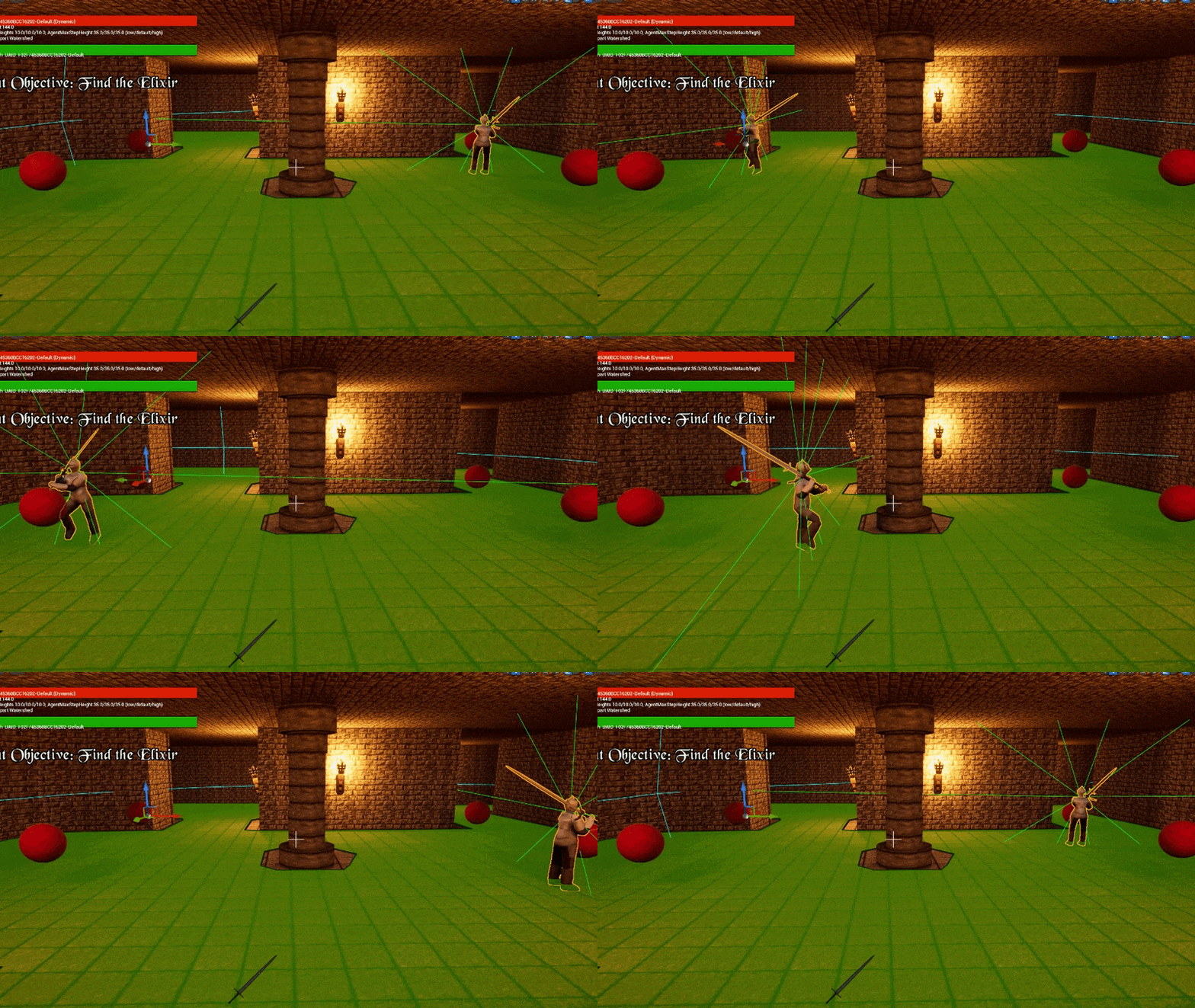
Patrolling Knight enemy
Enemies also have a delay before dealing damage to a player in range; they will do an attacking animation, and if the player is still within their hurtbox after they swing the weapon in the animation, the player will take damage. This encourages the player to learn how to kite the enemy attacks while following up with their own.
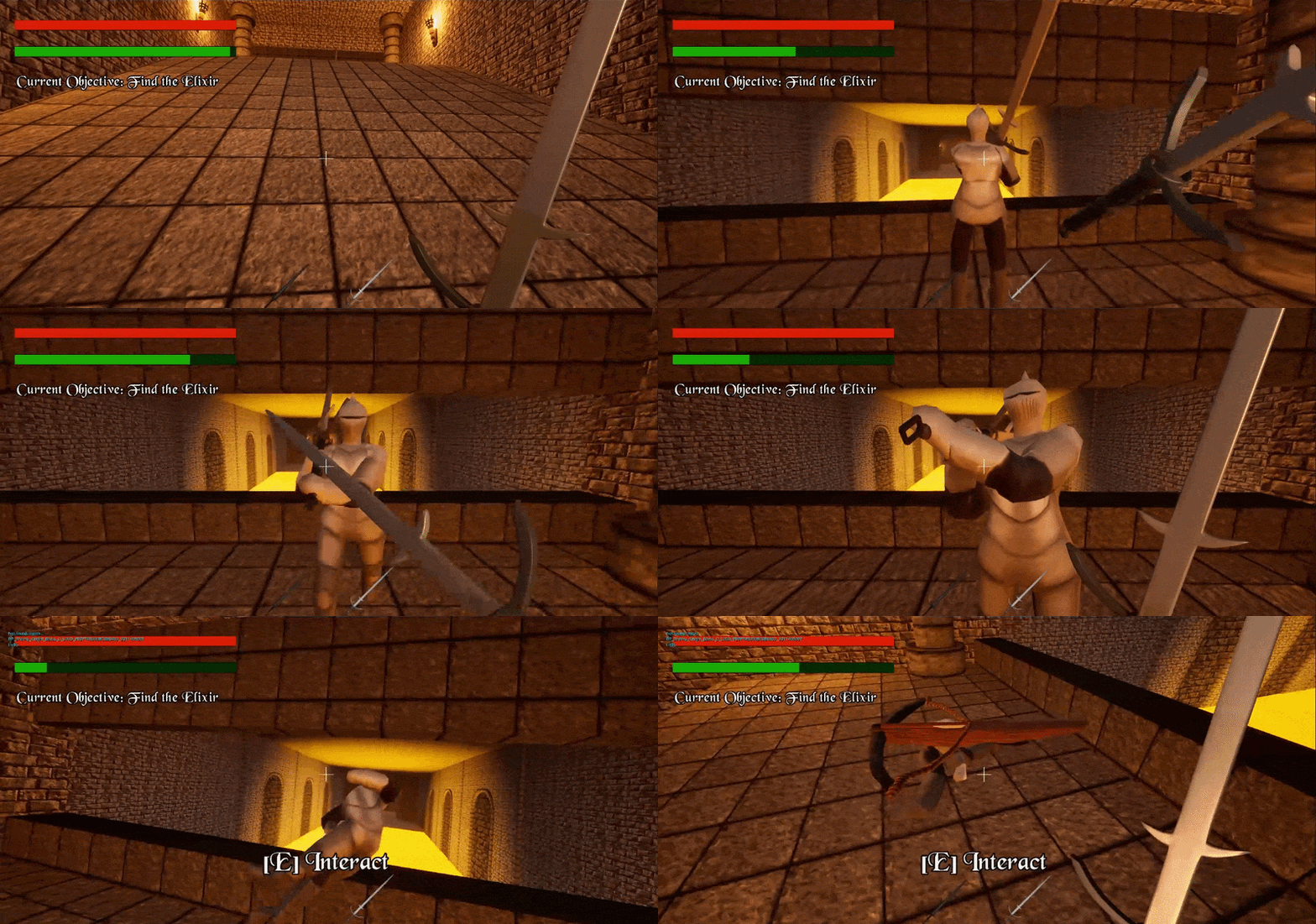
Kiting an enemy to avoid their attacks
Everytime an enemy dies, it saves their state (their unique object name, world transform, and boolean check to see if they're dead or not) to a struct stored in the GameInstance. This is appended to an array of other structs for every single enemy in the level.This is part of the checkpoint save system which will be elaborated on later. This system also exists for dialogue triggers and checkpoints to ensure that neither are re-used.

Weapon Systems and Combat
The weapon systems in the original prototype were very simple - clicking deals 25 damage to anything in your hurtbox, and most enemies have 100 health. I wanted to make the combat feel more satisfying and rewarding, starting with the default broadsword.
The broadsword is the more balanced of the player's weapons. I wanted to reward the player's ability to weave in and out, getting quick strikes on an enemy before they're aware or able to counterattack, so I made the weapon operate on a one, two combo. These two hits are faster than the time it takes to reset after to the first, encouraging the player to play more aggressively.
The second weapon the player unlocks is the zweihander - and the player can switch between the two swords at any point by pressing 1 or 2 on their keyboard. The zweihander has a much longer attack cooldown and no combo, but deals significantly higher damage and has a much higher attack force multiplier (meaning the enemies get pushed further away). The high damage lets it cleave through fodder like the basic skeletons while being a little more unsuitable for combat with tankier enemies like the knights.
The knights have enough health to where they can't be one-shot with the zweihander like the skeletons can, and it's typically faster, though less safe, to kill them with the broadsword, which encourages the player to use their weapons in different situations or depending on the risk/reward they would like to take.
The third weapon the player unlocks, which is a little more of a unique ability than an equippable weapon, is the crossbow. After acquiring it, the player can hold right click to charge up a crossbow bolt, then release to fire once it's charged, as shown by a small progress bar under the crosshair. Once fired, the player must wait a couple seconds to be able to fire again while the crossbow is reloaded, but the player can freely use their other weapons at the same time. This encourages the player to weave their crossbow shots between their primary weapon hits, encouraging unique combat playstyles.
The crossbow is also the only weapon in the game that can stealth-kill an unaware enemy in one hit; this functionality is demonstrated as soon as you get it by the level design guiding you to an unaware enemy while you are at a vantage point above them.
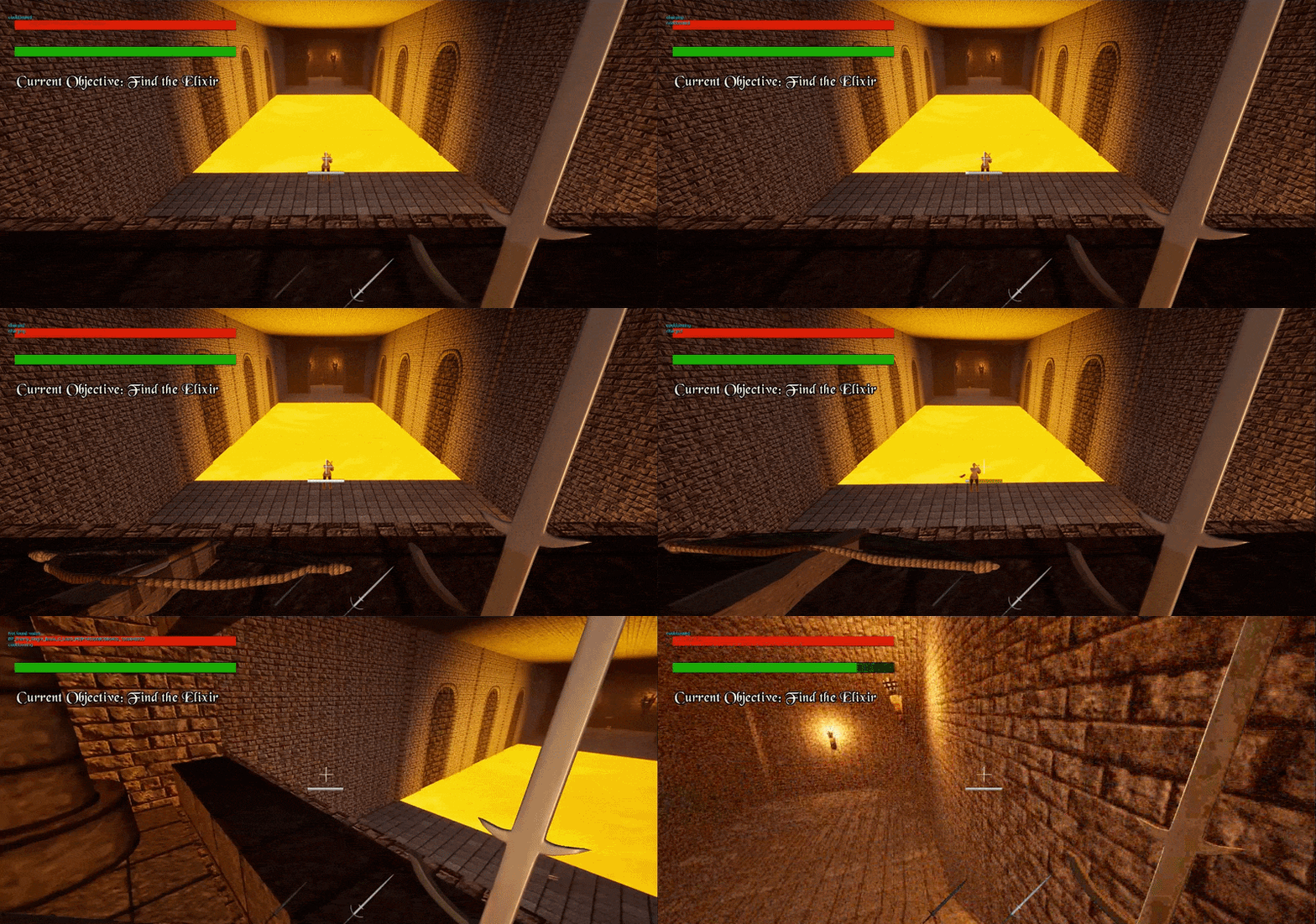
Sniping the knight with a crossbow, instantly killing it since it's unaware
Each weapon in this game is designed with a different purpose and use-case, so that there's a reason to use them all and swap between them all. I wanted the player to have a multitude of tools for different situations while not bordering on too much to manage all at once, and I think that I struck a really good balance.
I also wanted to make weapon feedback feel more impactful, making the gameplay more satisfying. To do this, I added a small launch to the enemies each time the player hits an enemy with a weapon (tailored to the weapon's properties), as well as added ragdoll physics on death, and applying an impulse onto the ragdoll after death with its strength corresponding to the weapon being used.
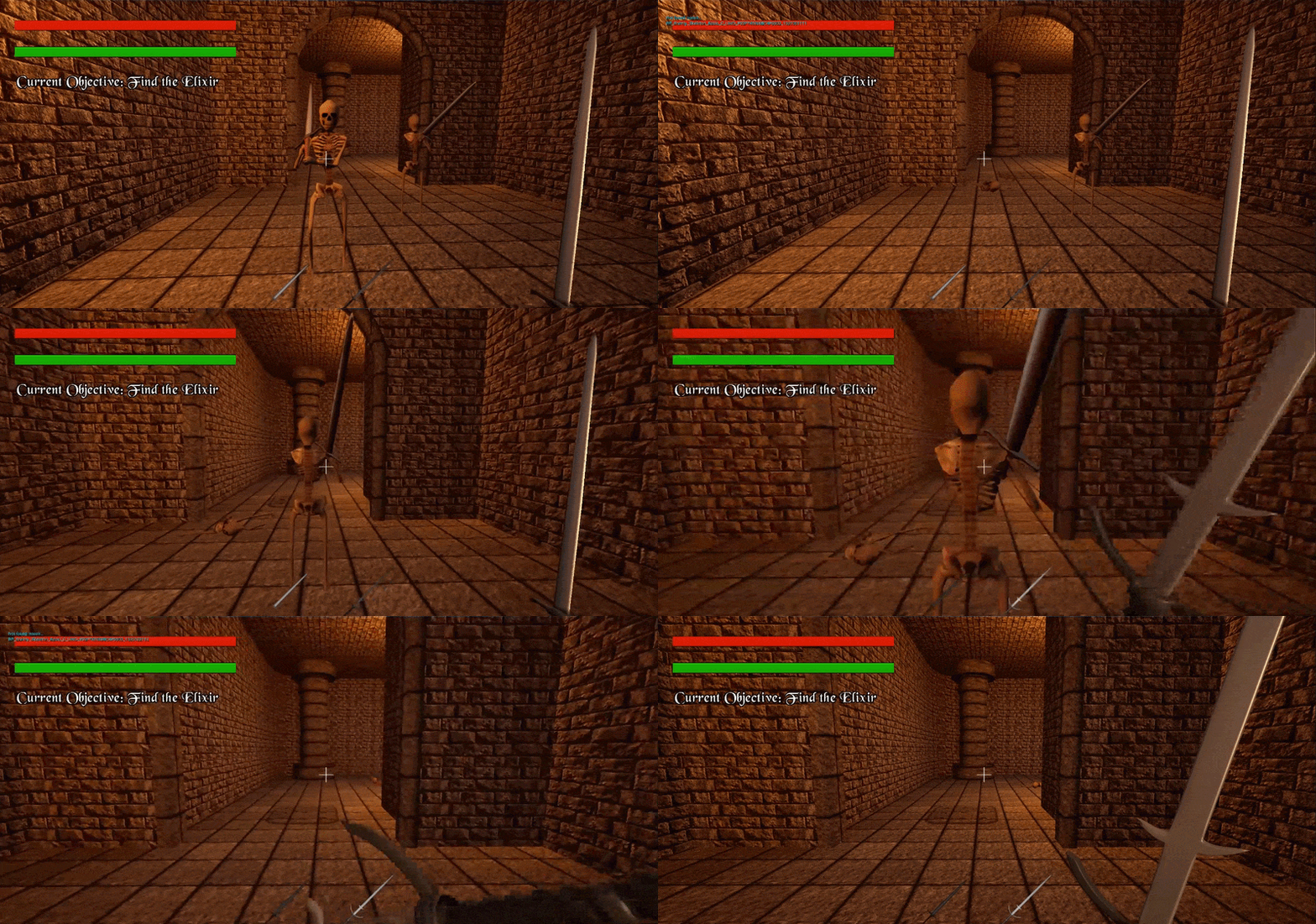
Attack force difference between the Broadsword and Zweihander
Dialogue
Since this assignment was tied with my narrative assignment, I had to use this game in order to tell a compelling story. To do this, I made a dialogue box system with Blueprints. This system is modular and can be adapted to many different speakers and texts for each instance of the trigger that you place in the level.
It uses an array of texts for the speaker names and another array for the dialogue contents. Once triggered, it creates a widget blueprint on the player's HUD wherein it displays the current speaker and dialogue from the array. It gets each individual character and appends it to the display array once every 0.03 seconds, to display each character one at a time, which is common in RPGs and games that heavily rely on text for dialogue or narrative. Once the player presses their F button, it moves onto the next items in the array, thereby allowing for a fuly functional dialogue system. Lines can also be skipped by pressing F before it's finished outputting.
I also added an optional image background that can be added to dialogue trigger, which is used for narrative cutscenes (which I will talk about later in the narrative section).

The dialogue system script (in the Widget BP)

Dialogue in-game
Checkpoint save system
Since the level was very long, it was necessary to add a robust and complete checkpoint system so that the player doesn't lose all of their progress when they die.
Every time the player overlaps a checkpoint blueprint, it saves all of their relevant data, including location, health, and current equipment, to the save game blueprint. It also saves data such as enemy structs (mentioned earlier) to the save game within an array.

When player overlaps checkpoint, save their data within the BP.

Later in the BP, save it all inside the SaveGame class. Also gets the struct arrays for enemies, dialogue, and checkpoints from within the GameInstance (as that's where they are saved everytime they are updated)

Loads player data and enemies/dialogue data after loading a checkpoint (e.g. when respawning)

For every enemy, check if its unique object name exists in the enemy struct. If it does, check if it's dead. If it is, set the relevant enemy's hp to 0, killing it instantly
This system was one of the most complex ones I had to produce for the project, and the mechanic that took the most research to implement. It stores everything from the player's states, to the enemies, and the checkpoints and dialogue triggers.
Level Design
First floor
Before producing anything in-engine, I designed a mental map for how each floor of the crypt should progress. This helps me illustrate an idea of what the gameplay flow should be like before producing anything in-engine.

The first point of interaction is the NPC for Bernard, who serves as plot exposition (see the narrative section for more info), and also foreshadows the existence of knight enemies later. After that, the player can turn right to see a separate room containing another note with story implications. This benefits players who are keen to explore, which aligns with my target audience quite well.
After this, the player can advance to see a cutscene of a skeleton walking forward onto a spike trap and getting impaled. This teaches the player about the nature of the spike traps in a way that promotes environmental storytelling and player immersion.
Next, the player will find a fork in the road. There are two roads - one well-lit with torches, but the player can see skeletons down the hall; the other shrouded in darkness. This gives the player free choice to choose which way they want to go. The torch-lit way leads to another note containing narrative information.
Both pathways converge at a central room with a knight enemy patrolling around. A skilled player will be able to see the set patrol patterns around the edges of the room, and hear the footsteps, and sneak up on them to gain an advantage.
The knight drops the second weapon, the zweihander, on death. Just ahead of the knight are two skeletons that the player can try their new weapon on, serving as a reward, since the zweihander specialises in clearing out weak enemies such as the skeletons.
Second floor
The mental map for the second floor is below:

The player starts immediately from a set of stairs down from the previous floor, leading into a large curved-shape room filled with skeletons. This serves to reward the player even more for their progression thus far, allowing them to use the zweihander to easily cut through all the skeletons in their path, conditioning the player to expect reward by progressing.
After making it through, the player will start to encounter frequent flashback cutscenes, serving as narrative exposition along the way. The player will encounter two knights, one standing up a set of stairs looking out of a viewpoint. After the player kills them, the knight at the top will drop the crossbow.
The player can look out the viewpoint to see the large lava moat, and across it, the player's goal in a large chamber. There is also an unaware knight below the player, visible from the viewpoint. The player can shoot them with their new crossbow, serving to teach them organically about stealth and smarter ways to combat enemy encounters.
After looking around and exploring a little, the player may find a small inset section to the right of the doorway leading through several tight passages and rooms. There are plenty of knight enemies, but also spike traps in every tight hallway - a smart player can be rewarded by being able to easily kill the knights with this. An unaware player will most likely run into the spike traps themselves, taking heavy damage.
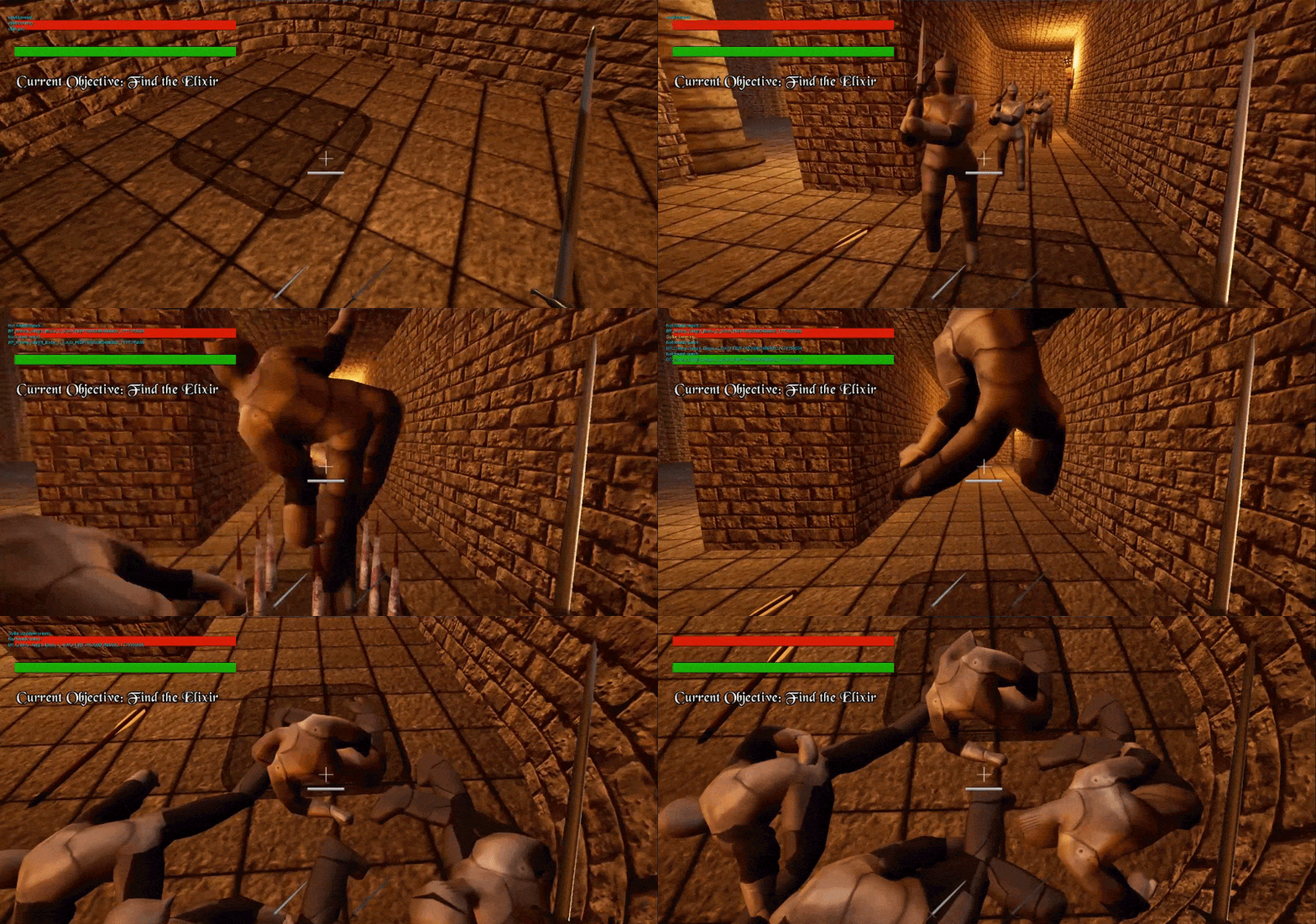
A smart move
Final Section
After reaching the large chamber, the player is face to face with a large skeleton boss. This boss is tankier and more dangerous than any enemy faced before, with more health, more damage, and fast speed. There is a large portion of dialogue with the boss before the battle starts.
Once the enemy is defeated, the player can walk up to the elixir and choose whether to drink it or not. This is the player's final choice, and changes how the game ends afterwards.
If the player drinks the elixir, the player gets significantly boosted stats, invincibility. They can now defeat anything in one hit, and the level populates itself with skeletons in almost every room. This allows for a more cinematic ending and a large peak in the pacing of the gameplay to finish the game on a high note.
If the player chooses not to drink the elixir, the player doesn't get any boosted stats, and knights spawn throughout the level closing in on the player. This is the more challenging option, and the player can either face the knights head-on with their weapons, or kite their way around the enemies, ignoring them and focusing on escaping.
Having these different options adds replayability to the game and allows the player to have much more freedom of choice. It also appeals to a wider audience, too, as some players may not be skilled enough or confident enough to go without the elixir.
Narrative Design
Narrative
I wanted to produce a story where the protagonist's motives and goals become apparent the further you get into the game, essentially hooking the player on the story's mysteries while not hiding too much about who the player is.
To do this, I added a dying NPC with dialogue at the start of the level to introduce the player and their goal, while still keeping their motives behind the goal vague. The motives are further explained as the player progresses through the level by flashback "cutscenes" that occur during breaks in the gameplay - dialogue screens with backgrounds that show a piece of the protagonist's history.
Eventually it all culminates in the final choice that the player makes after the final boss battle. Giving the player a choice between two options - drinking the Elixir and becoming godlike, or forsaking it and moving on from loss - also represents a choice in gameplay difficulty, which ties together gameplay design with the narrative.
When developing the initial narrative before implementing it in-game, I used Twine to create a text-based story in HTML to tell the story of the game as a reference for how it should flow in-engine. It is playable on Desktop below through the embed:
After this, I implemented most of the dialogue in-game at the relevant points using the dialogue script produced earlier. I produced the cutscene graphics in Photoshop, using copyright-free images as well as renders of my knight model produced in Blender.
Retrospective
Skills I learned and developed
Over the course of the project, I strengthened my Blueprint scripting skills, refined my 3D asset production skills, learned how to structure narratives better, develop levels with good flow and pacing, and became better at designing combat mechanics through trial and error.
What went well
The project was finished with minimal bugs. The combat felt satisfying, the mechanics were fun to play with. The player had plenty of choice with how they wanted to go through the level, through forks in the road, different weapon choices, different ways to handle groups of enemies via the environment, and the choice at the end. The dialogue provided a decently compelling story to the player.
What could be improved
I think that the project could be improved by making the narrative involvements less jarring. The cutscenes appear out of nowhere, surprising some players or causing them to be frustrated. I think that some more enemy variety would have been good as well - a planned enemy concept was a knight with a crossbow as a ranged enemy, but that never came to fruition due to time and scope constraints. On top of that, the performance was not that good, since I didn't have much time to optimize the game.